
Crosshair X vs Crosshair Overlay
Crosshair X is one of the best known custom crosshair apps on PC, and that reputation is earned. If you are weighing it against Crosshair Overlay, here is a straight breakdown of what each one does and which suits how you play. We make Crosshair Overlay, so we will own that bias and still give Crosshair X a fair look.
What is Crosshair X?
Crosshair X is a custom crosshair overlay for Windows 10 and 11. It draws a crosshair on top of almost any PC game, even titles that ship without one. It is one of the most established options in this space, made by Center Point Gaming.
The feature set is deep:
- A community library of more than 100,000 crosshairs, plus Steam Workshop to subscribe and publish designs.
- A precise designer for lines, dot, outline, color, opacity, blur, rotation, and scale.
- Firing animations that react to your shots.
- Image and GIF overlays, text labels, and multi-arm radial shapes.
- Multi-monitor support, and you can save a position for each game.
It sells on Steam, the Epic Games Store, and the Microsoft Store as a one-time purchase that starts around $3.99, with no subscription. You can also run it through Xbox Game Bar for fullscreen games. Their site is centerpointgaming.com if you want to see it firsthand.
What is Crosshair Overlay?
Crosshair Overlay works the same way. You build your crosshair in a desktop app, then pin the matching Xbox Game Bar widget so it draws on top of your game. Open Game Bar with Win + G, pin the widget, and you are set. It is on the Microsoft Store from $2.99.
What you get:
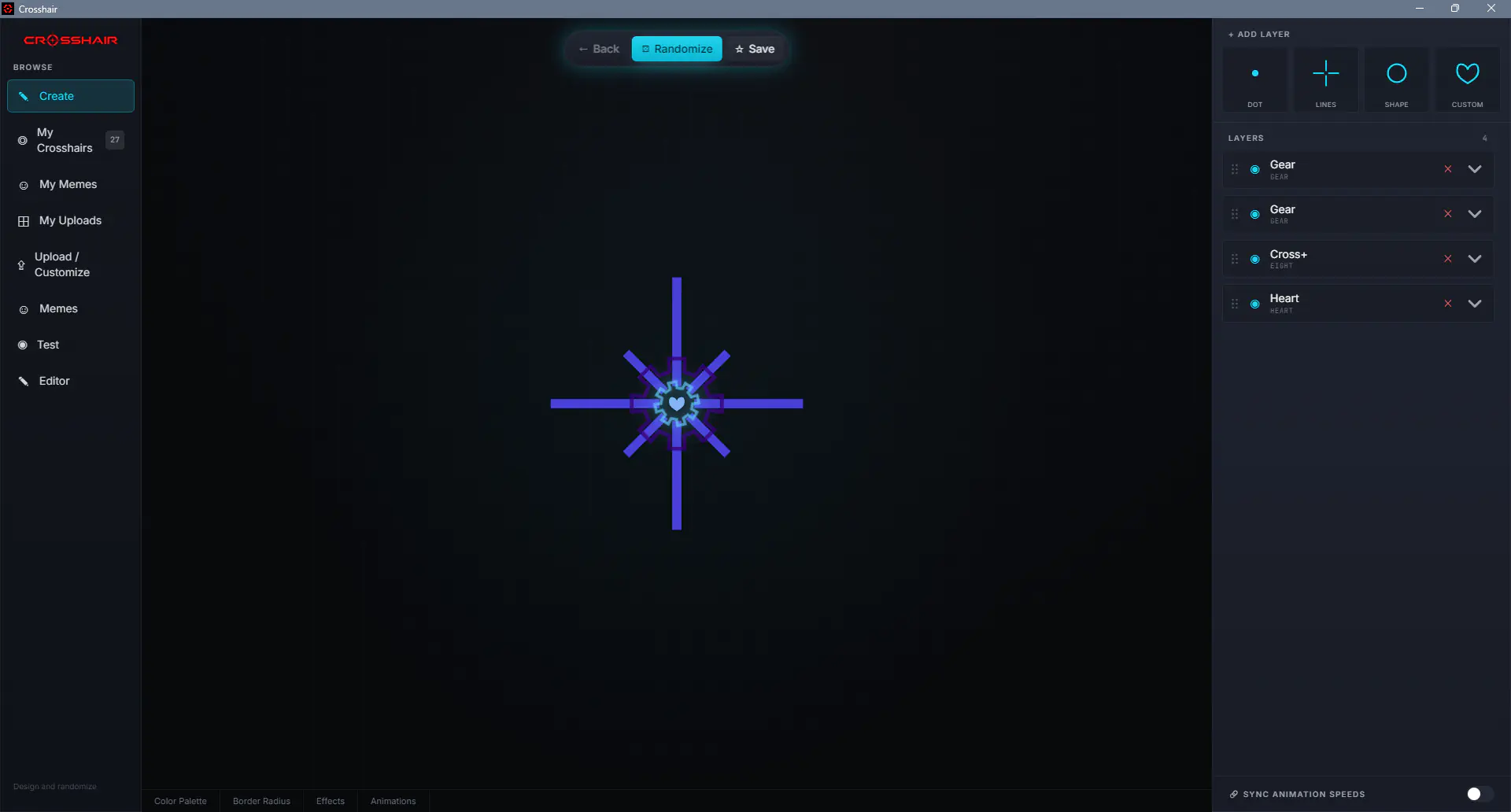
- A layered editor. Stack shapes into one crosshair, set colors and palettes, and add effects and motion.
- Unlimited custom designs. Build your own from scratch, or upload any image to use as your crosshair.
- Hotkey switching, so you can swap between saved crosshairs without leaving the match.
- Meme flashes. Bind a key to flash an image on screen, handy for streamers.
- Test backgrounds to check how a reticle reads against different game-like scenes.
- A saved library with quick-set slots and favorites.
In short, it does the same core job as Crosshair X: a full editor, your own custom and uploaded crosshairs, animations, and image overlays, all drawn through Game Bar. The main differences come down to where you buy it and the price.
Where Crosshair X inspired us
We will say it plainly. Crosshair X helped prove how much a good custom crosshair matters, especially in games with a weak default reticle or none at all. Crosshair Overlay takes that core idea and runs with it, with its own editor, effects, and image and meme support.
To be clear: Crosshair X is a separate product from Center Point Gaming. Crosshair Overlay is not affiliated with it, and we are not trying to pass our app off as theirs. Different teams, different apps, one shared goal of putting a crosshair you trust on the screen.
Crosshair X vs Crosshair Overlay at a glance
| Crosshair X | Crosshair Overlay | |
|---|---|---|
| Price | From $3.99, one time | From $2.99, one time |
| Where to buy | Steam, Epic, Microsoft Store | Microsoft Store |
| How it runs | Desktop app, pinned in Xbox Game Bar | Desktop app, pinned in Xbox Game Bar |
| Crosshair library | 100,000+ community designs, Steam Workshop | Unlimited custom designs |
| Custom editor | Yes | Yes |
| Firing animations | Yes | Yes |
| Image and GIF overlays | Yes | Yes |
Which one should you pick?
Go with Crosshair X if you want its huge community library and Steam Workshop, or you buy your apps on Steam or Epic. It is well established and packed with options.
Go with Crosshair Overlay if you want a full editor with unlimited custom designs, your own uploaded images, and meme flashes, plus hotkey switching, and you would rather buy on the Microsoft Store from $2.99.
Honestly, the two cover a lot of the same ground. The biggest differences are where you buy them, the price, and the size of the ready-made community library. Both run as a desktop app that you pin through Xbox Game Bar, both only draw on top of the screen, and neither one modifies game files. Anti-cheat policies still vary by game and can change at any time, so check the rules for your game and use any overlay at your own risk.
Crosshair X questions, answered
Try Crosshair Overlay
A clean, customizable crosshair that pins right into Xbox Game Bar. From $2.99, no subscription.